Server monitoringfor cloud and on-premises servers
See the health of every server on one screen — cloud servers at Hetzner, Contabo, DigitalOcean, AWS, Azure or Vultr, and your own Linux and Windows servers in the office or data room. Alerts reach the right people by email, Microsoft Teams or Slack before your users notice.
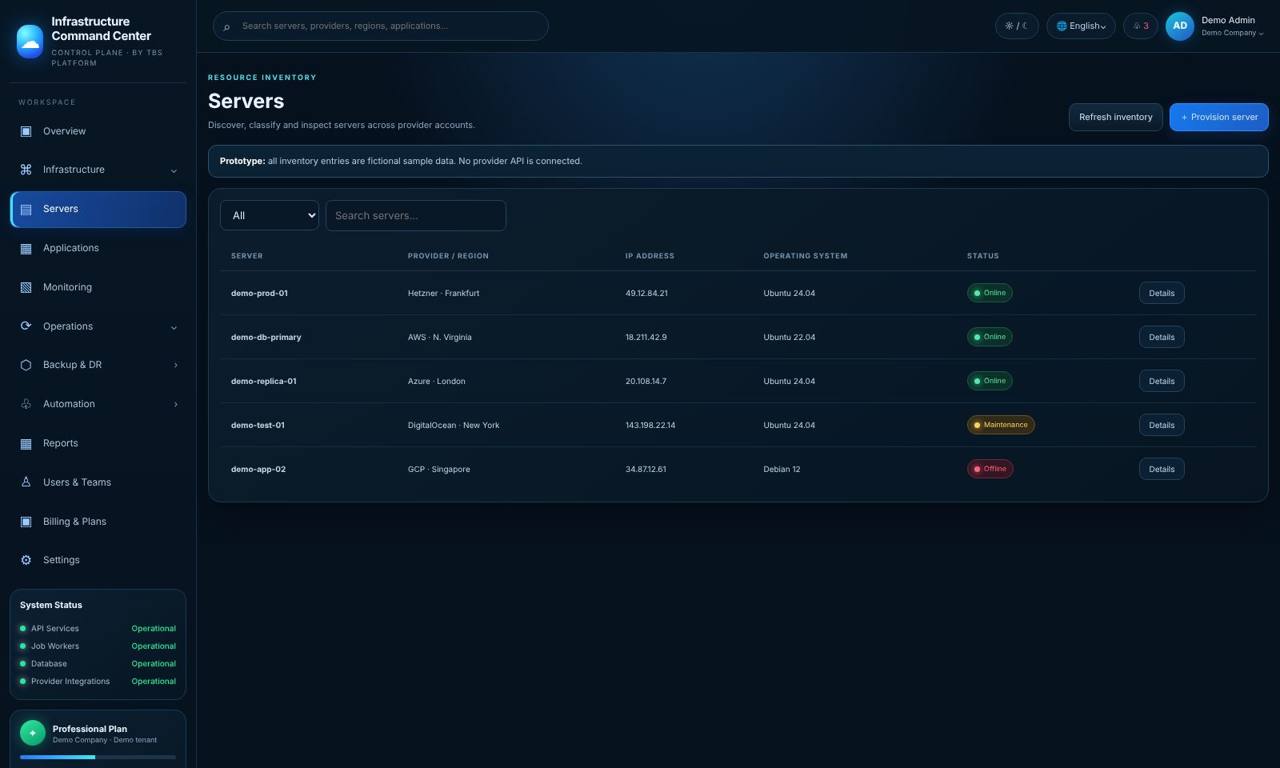
Every server, wherever it runs
Most companies have servers in more than one place: a few cloud servers, a database in a data room, a file server or NAS in the office. Each place has its own panel, and nobody looks at all of them every day. TBS Infrastructure puts them on one screen and tells you when something needs attention.
On each server a small TBS Infrastructure agent sends its health every minute. It only connects out to TBS Infrastructure over an encrypted connection — you do not open any port on your server or firewall. Cloud providers are connected with a read-only key, and TBS Infrastructure checks that the key cannot change anything before it is used.
CPU, memory, disk and swap
Live usage for every server and the history behind it, with warnings before a disk fills up.
Services and certificates
Know when an important service stops or a certificate on the server is about to expire.
Checked from outside too
Uptime checks from TBS Infrastructure's own server notice an outage even when a whole server is gone.
Waiting updates
A read-only scan shows which operating-system updates are waiting on each Linux server, security updates first.
Your office network
The office collector lists devices on your network — firewall, NAS, printers — and watches the ones you choose.
Where everything runs
A world map and a list of every server by provider and region, with Production servers clearly marked.
Honest limits: TBS Infrastructure does not install updates on your servers today (it shows them). Uptime checks run from one location in Europe.
How it works
Questions
Does TBS Infrastructure monitor Windows servers?
Yes. The TBS Infrastructure agent runs on Linux and Windows servers, in the cloud or on-premises. The waiting-updates scan is for Linux servers today.
Do I need to open a port on my server or firewall?
No. The agent only connects out to TBS Infrastructure over an encrypted connection.
Which cloud providers are supported?
Hetzner, Contabo, DigitalOcean, AWS, Azure and Vultr connect directly with a read-only key. Servers at any other provider work through the agent.
Can it watch devices in my office, like a NAS?
Yes. The office collector lists devices on your network and watches the ones you choose, for example a NAS that is filling up.
Can I try it first?
Yes. The live demo shows real TBS Infrastructure screens with a sample company, with a guided tour. Nothing is installed and nothing is saved.
Related
One screen for every server you have
Try the live demo now — real screens with a sample company, nothing to install — or see it on your own servers in a short call.