
Backups you can proveand a recovery plan you have tested
A backup only counts once it restores. TBS Infrastructure backs up your databases and folders to your own storage, encrypted with your own key, tests that the backup really restores, and keeps a recovery plan for every important server — with rehearsals that prove it works.
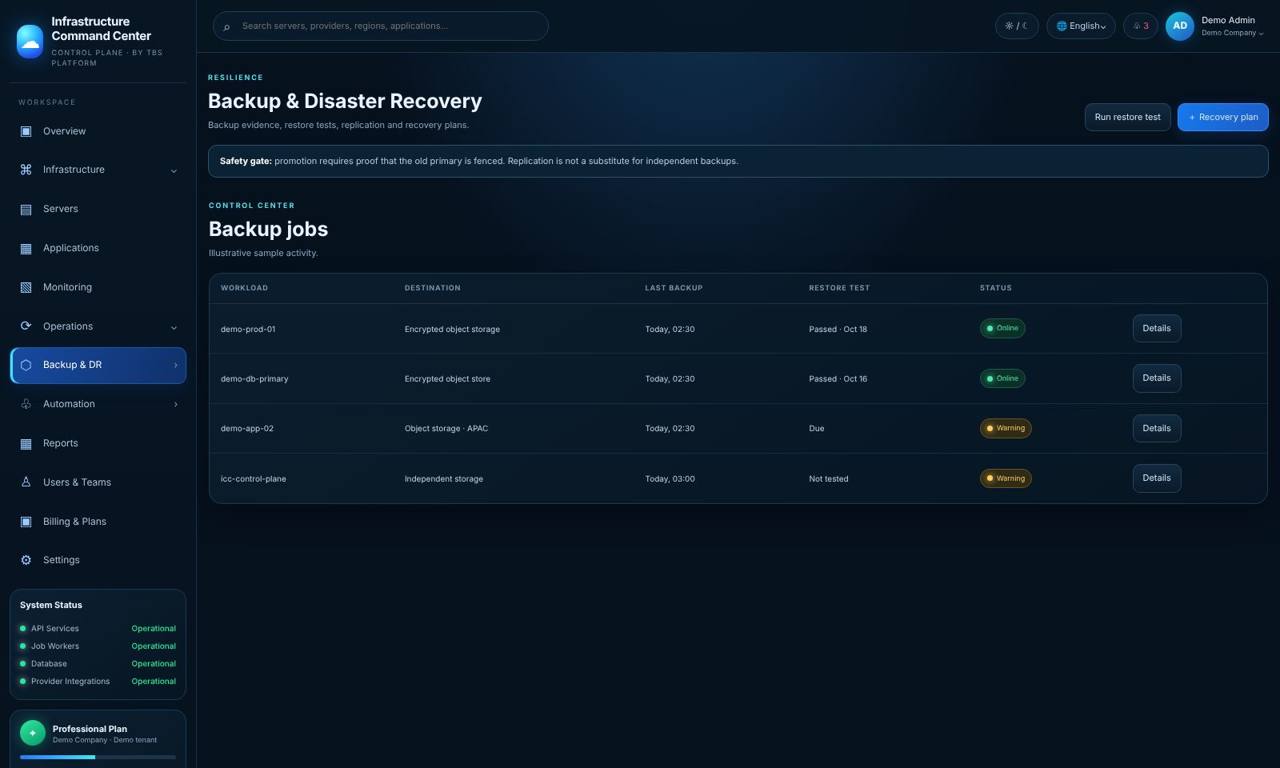
"We have backups" is not the same as "we can recover"
Many companies find out that a backup is broken on the day they need it: the job stopped months ago, the file is incomplete, or nobody knows how to bring the server back. TBS Infrastructure shows backup status and restore-test results separately, so a green tick means the backup was actually restored and checked.
Backups go to your own storage account (Backblaze B2) and are encrypted with your own key. TBS can see that a backup ran and how big it was — but cannot read what is inside.
Databases and folders
PostgreSQL, MariaDB and MongoDB databases plus the folders you choose, backed up by the agent on your server.
Your storage, your key
Encrypted before it leaves the server; stored in your own Backblaze B2 account. TBS cannot read your backups.
Restore tests
A restore test on your server restores the backup and checks it; TBS Infrastructure records the proof and tells you when the next one is due (every 3 months).
Provider snapshots
Snapshot schedules with controlled retention for supported cloud providers, shown together with your backups.
Recovery plans
For each important server: where it recovers to, how much data you can lose (RPO) and how long recovery may take (RTO).
Rehearsals with proof
A rehearsal only passes when TBS Infrastructure itself sees the restored backup and the new server reporting in.
Honest limits: backups are configured on the server by your administrator (TBS Infrastructure does not start backing up anything on its own). Storage is your own Backblaze B2 account, billed to you by Backblaze.
Safety first
Questions
Can TBS see my backups?
No. Backups are encrypted with your own key before they leave your server and are stored in your own storage account.
Which databases can be backed up?
PostgreSQL, MariaDB and MongoDB, plus folders you choose.
What is a restore test?
A restore test brings a backup back on your server and checks it. TBS Infrastructure records the result and shows it separately from the backup status, and reminds you when the next test is due (every 3 months).
Will TBS Infrastructure fail over my servers on its own?
No. Failover runs a dry-run and checks first and needs approval from an authorised person.
Does this work for servers in my office?
Yes. Backups, restore tests and recovery plans work through the agent for servers in the cloud and on-premises.
Related
Know you can recover — before you need to
Try the live demo now — real screens with a sample company, nothing to install — or see it on your own servers in a short call.